
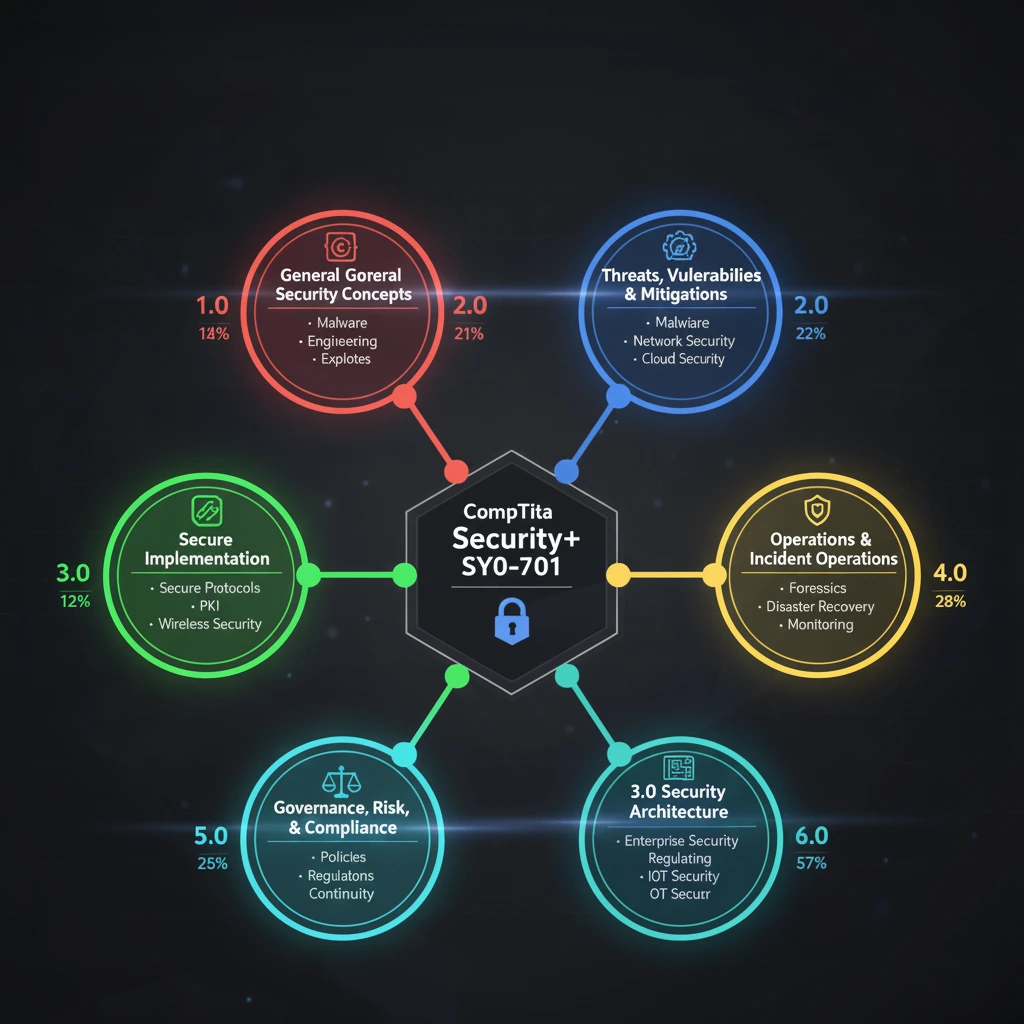
If you’re aiming to earn the CompTIA Security+ certification, this guide is crafted to help you every step of the way — from understanding the exam blueprint through to test-day strategy and beyond. In the first 100 words: this guide will cover the core domains, explain the passing score and format, provide a structured study plan, link to useful resources, and include FAQs to ensure you’re ready to register and succeed.
What is CompTIA Security+?
The CompTIA Security+ certification is a vendor-neutral credential designed to validate foundational cybersecurity knowledge and skills. It’s aimed at professionals who manage, secure or operate networks and systems. According to CompTIA: the certification “verifies the successful candidate has the knowledge and skills required to assess the security posture of an enterprise environment and recommend and implement appropriate security solutions…”
It’s often recommended for those with about two years of IT experience, especially in a security- or systems-administrator role. Having Security+ can open doors for roles such as security administrator, security analyst or systems administrator with a focus on security.
Exam version, format & passing score
Version & timing
- The current version of the exam is SY0-701, launched around November 2023.
- You’ll have up to 90 minutes to complete up to 90 questions.
- Question types include multiple choice (single and multiple response), performance-based items (PBQs), drag-and-drop, etc.
Passing score
- The required score to pass is 750 on a scale from 100 to 900.
- Because question weights and types vary, aiming for a higher “real” percentage helps guard against weaker items.
- Certification validity: the credential remains valid for three years and can be renewed via Continuing Education (CE) credits or by passing a newer version.
Cost & prerequisites
- There are no formal prerequisites, but CompTIA recommends CompTIA Network+ and ~2 years of IT experience with a security focus.
- Cost varies by country; U.S. retail price is around $404 (subject to change).
Domain breakdown (latest version SY0-701)
Understanding how the exam is structured helps you allocate study time efficiently.
| Domain | Weight (%) | What it covers |
|---|---|---|
| 1. General Security Concepts | ~12% | Foundational security principles: CIA triad, types of controls, threat models. |
| 2. Threats, Vulnerabilities & Mitigations | ~22% | Malware, social engineering, vulnerability scanning, threat actors. |
| 3. Security Architecture | ~18% | Designing secure systems, enterprise infrastructure, data protection. |
| 4. Security Operations | ~28% | Incident response, forensics, security monitoring, operations. |
| 5. Security Program Management & Oversight | ~20% | Governance, risk management, compliance, security awareness programs. |
Note: If you’re getting ready for the prior version SY0-601, its domain weights were: Attacks/Threats 24%, Architecture/Design 21%, Implementation 25%, Operations/Incident Response 16%, Governance/Risk/Compliance 14%.
Tips for domain-focus
- Since Domain 4 (Security Operations) has the highest weight (~28%), give it strong emphasis in your study plan.
- Domain 1 is foundational—ensure you have firm fundamentals before moving into deeper domains.
- Use the official exam objectives document from CompTIA as a checklist.
Study plan & preparation strategies
Create a structured plan
- Weeks 1-2: Focus on Domain 1 (General Concepts) to build your foundations.
- Weeks 3-4: Move into Domain 2 (Threats/Vulnerabilities) and Domain 3 (Architecture).
- Weeks 5-6: Deep dive Domain 4 (Security Operations) — practice scenarios, response workflows.
- Week 7: Finish with Domain 5 (Program Mgmt & Oversight), review all domains.
- Week 8: Practice tests, review weak areas, simulate exam timing.
Study techniques
- Download the latest exam objectives from CompTIA and check off each objective as you cover it.
- Use practice exams and simulation labs (hands-on where possible) to build real skills rather than memorization.
- Leverage flashcards for key terms (e.g., CIA triad, types of controls, malware families).
- Focus on the “why” and “how” behind processes: e.g., why you use role-based access control (RBAC), how incident response works.
- Time your practice tests: ~90 minutes for ~90 questions gives ~1 minute per question.
- Keep an error log of questions you miss — review these topics until you understand them thoroughly.
When you’re ready, try the CertifHub Security+ Practice Test & Simulator to gauge your readiness and identify weak areas.
Test-day tips & what happens after you pass
On test-day
- Arrive or log in early (for remote proctoring) to reduce stress.
- Read each question carefully; performance-based items may present realistic scenarios.
- Manage your time: don’t spend too long on one question — flag and return if needed.
- Use logic to eliminate obviously wrong answers; mark difficult questions and revisit later.
- After finishing, you’ll receive your score report — it shows domain-level performance.
After you pass
- Congratulations! You’ll receive your certification via CompTIA.
- Make sure you record your credential on LinkedIn, resume, professional profiles.
- The certification is valid for three years — plan for renewal via CEUs or by taking the next version.
- Use your credential to pursue roles such as security administrator, junior security analyst, or network security specialist.
- Consider next-step certifications or specialization depending on your career path.
FAQs
Q1: What is the minimum score to pass Security+?
A1: The passing score is 750 on a 100-900 scale.
Q2: How many questions are on the exam and how long do I have?
A2: Up to 90 questions, to be completed in 90 minutes.
Q3: Do I need to have Network+ or 2 years’ experience?
A3: No formal prerequisite, but CompTIA recommends Network+ and at least two years in a security-oriented IT role.
Q4: How do I renew my certification?
A4: The certification lasts three years. You can renew by earning Continuing Education (CE) credits or passing a newer version.
Q5: Should I take SY0-601 or SY0-701?
A5: SY0-701 is the current version. If you’re studying now, you should target SY0-701. Some resources may still focus on SY0-601 — check versions carefully.
Q6: What kinds of questions are performance-based?
A6: These are scenario-based items where you perform tasks (drag-and-drop, hotspot, simulation) rather than just selecting an answer. They assess practical skills.
Ready to put your preparation into action? Use the CertifHub Security+ Practice Test & Simulator to test your readiness, identify gaps, build confidence and secure your certification success.




)
&description=&image=https://proitguides.dataroses.com/wp-content/uploads/2025/11/Ultimate-Guide-for-CompTIA-Security-Certification.webp)